


Refrigeration & Air Conditioning Training - Learn to Troubleshoot
There are a great number of technical publications dealing with refrigeration training but few are written from a mechanics perspective. This one is. It illustrates the mechanical refrigeration process and related topics with straight forward explanations and graphics. Its intent is to make it easy to understand important concepts and terminology. Traditional refrigeration textbooks cover such a large scope of material and in such great detail that rudimentary concepts often become lost in the process. Refrigeration Basics is an introduction to the Refrigeration & Air Conditioning Trade and focuses on creating a solid foundation which can be built upon readily. Learning about refrigeration is a never ending process and well understood fundamentals make learning more advanced concepts much easier. Refrigeration Basics is a preparation for anyone interested in entering the Refrigeration & Air Conditioning trade and is an introduction to some of the immediate problems one will face in the field. It is designed for those who:
- are considering going into the Refrigeration & Air Conditioning trade or trade college
- wish an easily understandable overview of HVAC/R (Heating Ventilation Air Conditioning / Refrigeration)
- wish a reference of basic refrigeration concepts
- are interested in these topics.
The original Refrigeration Basics CD-ROM was released in 2001. Since that time we have developed several products greatly widening the scope of our training material. Our interactive training is now used world wide by trade schools, universities, trade unions, OEM's, contractors, organizations and individuals. Current product line and descriptions are shown below the features list.
Features
Interactive Graphics
Sequential overlaid graphics are used to clearly illustrate the topic at hand. Buttons allow interactive back and forth control for logical comparisons.
Animated Graphics
Animations are used to clearly demonstrate concepts like heat flow and the mechanical workings of things like reciprocating, scroll and rotary compressors and bimetal warp switches.
Full Screen Graphics
Many sections, especially the troubleshooting boards use full-screen graphics. Some graphics can be toggled for large, medium or smaller versions.
Actively Linked Index
The Contents section is presented in a logical learning progression. There is also a linked Index to quickly locate topics. The links take you instantly to the exact spot on the page that covers the topic.
Actively Linked Review Questions
Each section has review questions which link to the spot on the page that covers the topic.
PT Chart Refrigerant Data Base
189 Pressure/Temperature Charts are linked by ASHRAE and Trade Name Index. PT Charts show components/chemical formula, type, application, recommended oil, ODP, GWP, ASHRAE Classification.
Interactive Refrigerant Side Diagnostics
The relationship between refrigerant side parameters are explored with the interactive Causes & Effects tutorial. Although this course starts off with the basics it lets the participant advance to the point where complex refrigerant side parameters are explored in an interactive way.
Interactive Electrical Troubleshooting
After being presented with electrical basics, learn to troubleshoot electrical schematics with built in faults with simulated Amp/Volt/Ohm meters.
Exam marks itself
100 question, multiple choice exam fully tests participants grasp of the material. Submit button displays participant's mark in percentage.
Works on all desktop and tablet platforms


Refrigeration Basics III - Professional
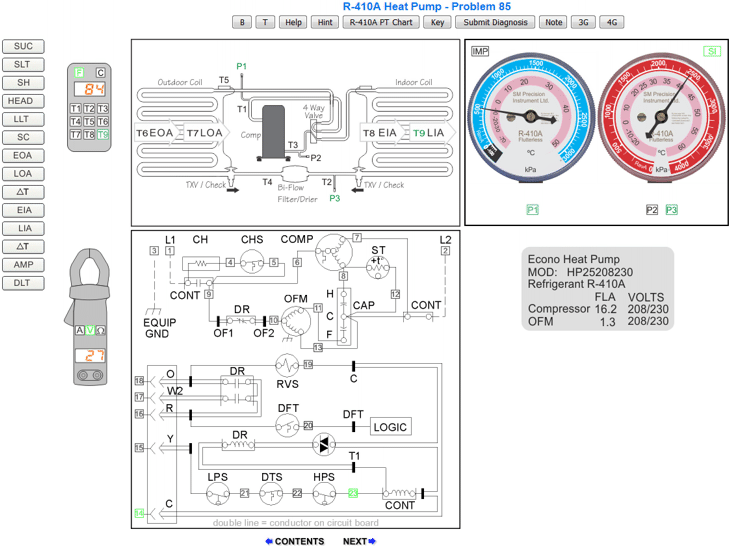
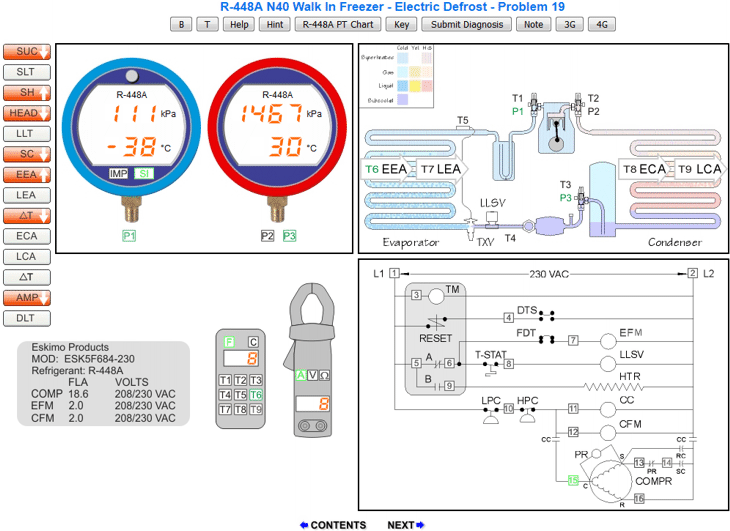
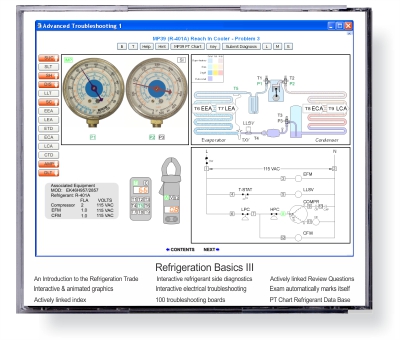
The Version III release contains everything from the previous version as well as an amazing 200 interactive troubleshooting boards with fully functional test instruments and many other improvements and interactive sections. If you purchase RBIII there is no reason to purchase RB2. Learn the basics and then develop your troubleshooting skills on various types of refrigeration and air conditioning systems. All 200 boards utilize high and low side pressure gauges, a 9 point digital thermometer for measuring refrigerant, air, and water temperatures and of course an Amp/Ohm/Volt meter which measures all test points on the electrical schematics. The troubleshooting board help page is available at the click of a button from every board.
Troubleshooting Boards use 4th Generation Refrigerants
Refrigeration Basics III now has 100 troubleshooting boards using 4th Generation refrigerants.The 100 3rd Generation Refrigerant HCFC and HFC troubleshooting boards are still included.
Learn about HFO's and troubleshoot with 4G refrigerants:
- R-450A (Solstice N13)
- R-448A (Opteon XP40)
- R-513A (Opteon XP10)
- R-455A (Solstice L40X)
- R-452A (Opteon XP44)
- R-452B (Solstice L41y, Opteon XL55)
- R-449A (Opteon XP40)


Existing RBIII users can upgrade to the new 4G version for $25. Click the thumbnail images below for screen shots. In 2004, version III troubleshooting boards gained SI Units capability. The temperature meter could now be toggled to display Imperial units in °F or SI Units in °C. The refrigerant gauges could be toggled to display psig or kPa. As of March, 2007, version III gained SI capability throughout the entire e-book. All textual references to Imperial units can now be viewed in their SI unit counterparts. Diagrams and graphics which used to be in Imperial units only, can now be toggled to display SI Units. A new section called Systems of Measurement has been added to Refrigeration Basics III.
Click the thumbnail images below for larger screen shots. Click the "RBIII Sample Boards" button below to try actual RBIII troubleshooting boards.



Air Conditioning Control Basics
The Air Conditioning Controls Basics CD is intended as a supplement to the Refrigeration Basics III CD. The RBIII CD introduced basic principals and demonstrated the inter-dependency between the refrigerant, air/water and electrical sides of a system. This training CD assumes that you have completed studying Refrigeration Basics III and are interested in more controls training for air conditioning systems. After a review of electrical fundamentals, motors, starting gear and electrical controls ACCB depicts various types of thermostats and introduces the feedback loop and how it applies to HVAC control systems. ACCB then takes you on a journey exploring various types of air conditioning systems. Each type has its own section with an in depth study of its schematic and sequence of operation. Every section has a review test which automatically marks answers. Ultimately this leads to the 100 interactive troubleshooting boards which allows the participant to develop troubleshooting skills with virtual test instruments by measuring electrical parameters (Volts, Ohms, Amps and Capacitance). Click the thumbnail images below to see screen shots of some of the the troubleshooting boards. The full size boards can be seen in the preview section.
Click the thumbnail images below for larger screen shots. Click the "ACCB Sample Boards" button below to try actual ACCB troubleshooting boards.


Gas Fitter Basics
Learn about the combustion process and how to diagnose and troubleshoot fuel side, air side and electrical side problems. Gas Fitter Basics illustrates the combustion process and related topics with straight forward explanations and graphics. It's intent is to make it easy to understand important concepts and terminology. Gas Fitter Basics is an introduction to the Gas Fitting Trade and focuses on creating a solid foundation which can be built upon readily. Learning a trade is a never ending process and well understood fundamentals make learning more advanced concepts much easier. This interactive CD-ROM is a preparation for anyone interested in entering the gas fitting trade and is an introduction to some of the immediate problems one will face in the field. Learn the basics and then develop troubleshooting skills with the 100 interactive troubleshooting boards with built in faults. Click the thumbnail images below to see screen shots of some of the boards.
Click the thumbnail images below for larger screen shots. Click the "GFB Sample Boards" button below to try actual GFB troubleshooting boards.


Combination Disc
Save $100 by purchasing all three interactive training products on a single disc. Have the complete set of interactive HVAC training products at your fingertips.
Refrigeration Basics 2 - Standard
Refrigeration Basics 2 (Version 2) is available at the original economic price. See the online sample sections and try the interactive electrical troubleshooting boards. We keep this version available for those with moderate or peripheral interest in the trade. Note however that it has not been upgraded since 1991 and has none of the enhancements or improvements nor the 100 interactive troubleshooting boards found in Refrigeration Basics III. Those with greater interest in the refrigeration and air conditioning trade should consider the newest version, Refrigeration Basics III. Click on the thumbnail graphics below to see screen shots of some of the introductory troubleshooting boards in RB2.


iPad versions available
All iPad products are available with a new user interface for the troubleshooting boards. Preview and try some actual ACCB, GFB and RBIII boards with 4G & 3G refrigerants by clicking this button.
Get RBIII Offline Reader Download (ORD)
during the $100 Off Sale
Requires Offline Pages Pro to load RBIII onto the iPad.RBIII regular Price: $179 CAD, sale price $79 CAD (approx $57 USD)
Secure Online Ordering
Our order form is secured using a Digital Certificate. This ensures that all information you send to us via the World Wide Web will be encrypted. Pricing is located in the product drop down lists on the order form. Click this link to access our secure online order form.




User Comments about Refrigeration Basics
Operations Managager
"Admittedly, I am an amateur when it comes to refrigeration. I have a hidden love for the HVAC industry, and hope one day to pursue it. I felt it necessary to write you and rave about your site. You have given me more info than a 400 hour course I finished over the Summer. Your site has explained the basics to advanced refrigeration in easy to understand terms which are clearly stated and use relevant comparisons. I felt the information flowed uninterrupted and you made it simple to understand. Thank you, maybe I can forward this site to my instructor and help him improve his teaching technique. I will be ordering your information."
Mechanical Engineer
HVAC/R insrutuctor, Virginia, USA"I purchased your product 6 months ago. I've fully studied it two times by now and I am still learning from it. Thank you for bringing this amazing product forth." Best wishes
"We've been using RBIII for many years now, to supplement other instructional material used in the HVAC/R program classes I teach. I routinely tell other instructors, without reservation, that it is the best educational software I have ever used, for any subject and I encourage my students to buy it."